


FEPExporter is an independent CR; hence it does not necessarily depend on main FEPCluster CR. To deploy a FEPExporter in given namespace follow the below step.
Note
If you are deploying on a Kubernetes cluster, Refer to "Custom Resource Parameters" in the Reference to create and apply a yaml file.
To create FEPExporter CR, either
(1) Click on "Create Instance" under FEPExporter.
OR
(2) Click on "FEPExporter" on top and then click on "Create FEPExporter" on the next page.
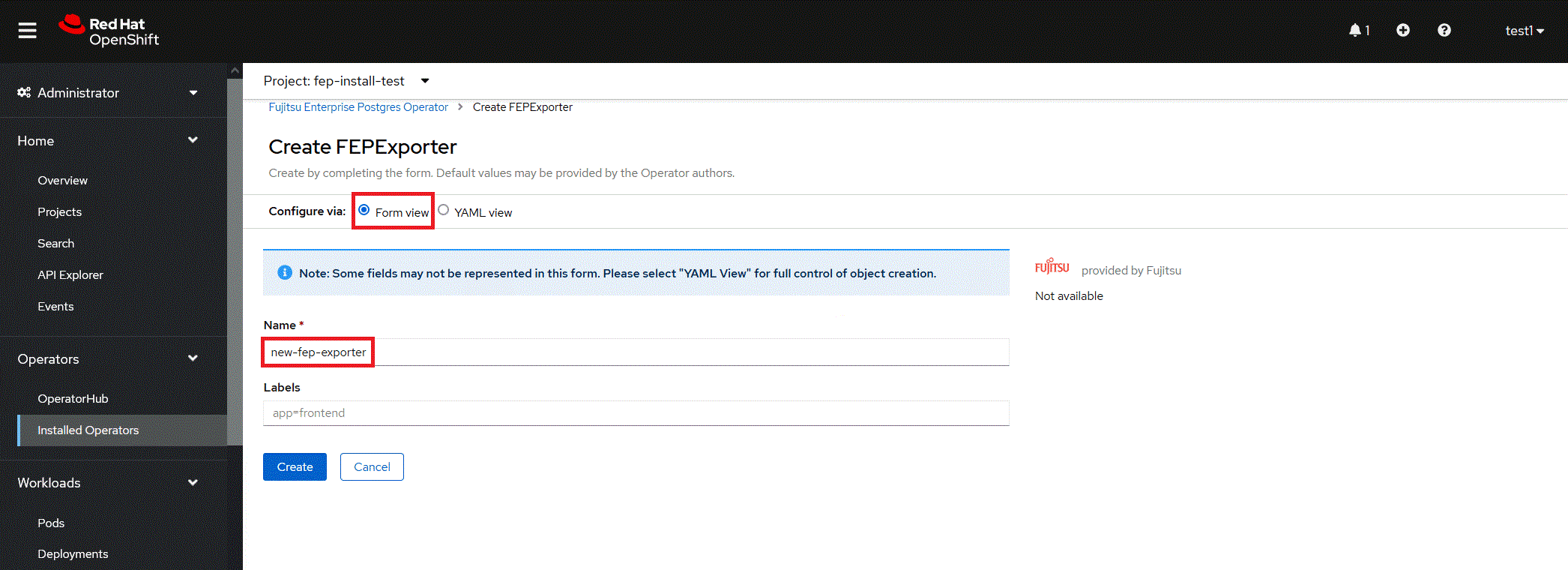
In Form View, one can change only the name of cluster being deployed. The default name is "new-fep-exporter". This name must be unique within a namespace.
FEPExporter scrapes metrics for FEPCluster within same namespace.
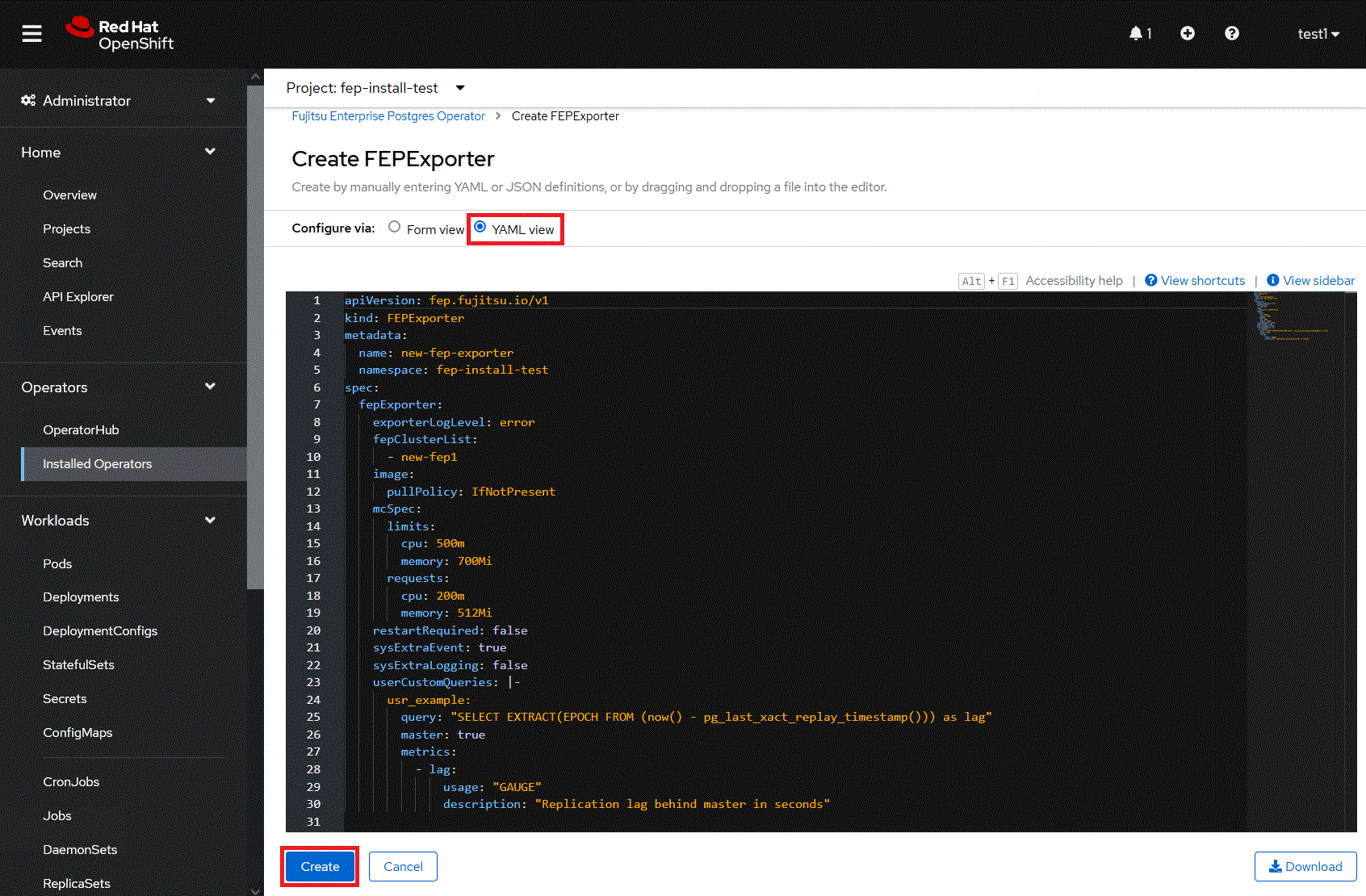
In YAML View, starting value of FEPExporter CR is visible and one can choose to modify parameters before creating CR. Refer to the Reference for details of parameters.
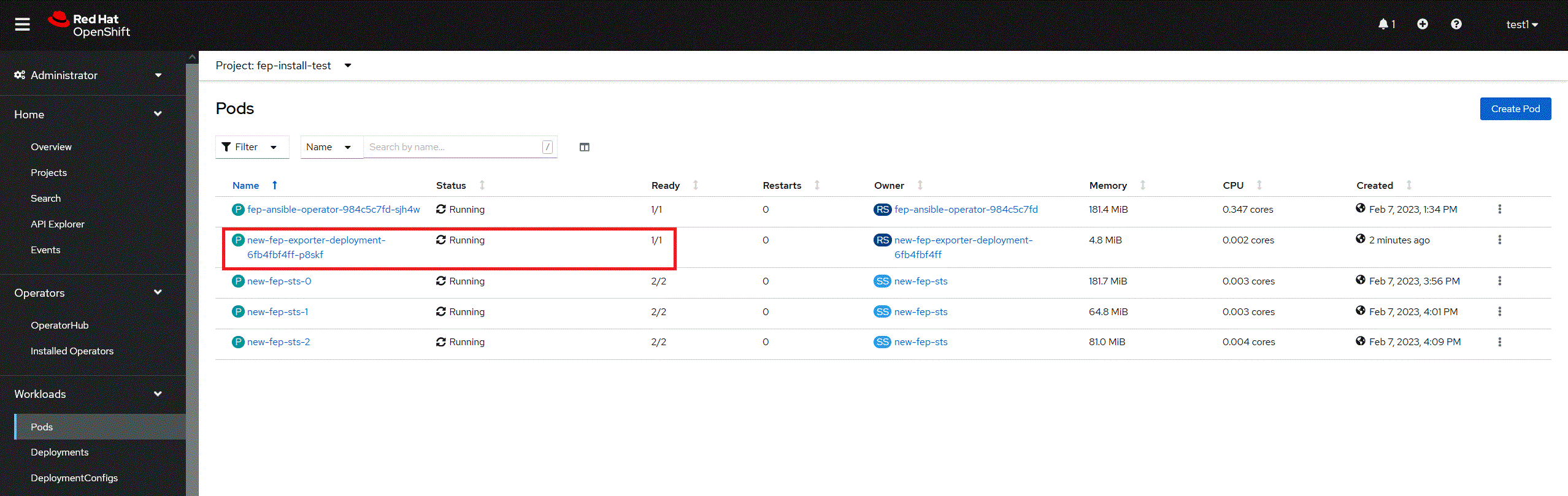
When clicked on the "Create" button. It will create FEPExporter pod with other resource like secret, service, configmap for data source queries.
Specify the name of the FEPCluster in spec.fepExporter.fepClusterList of FEPExporter. Before targeting cluster, Check the FEPCluster status and FEP StatefulSet are in running condition.
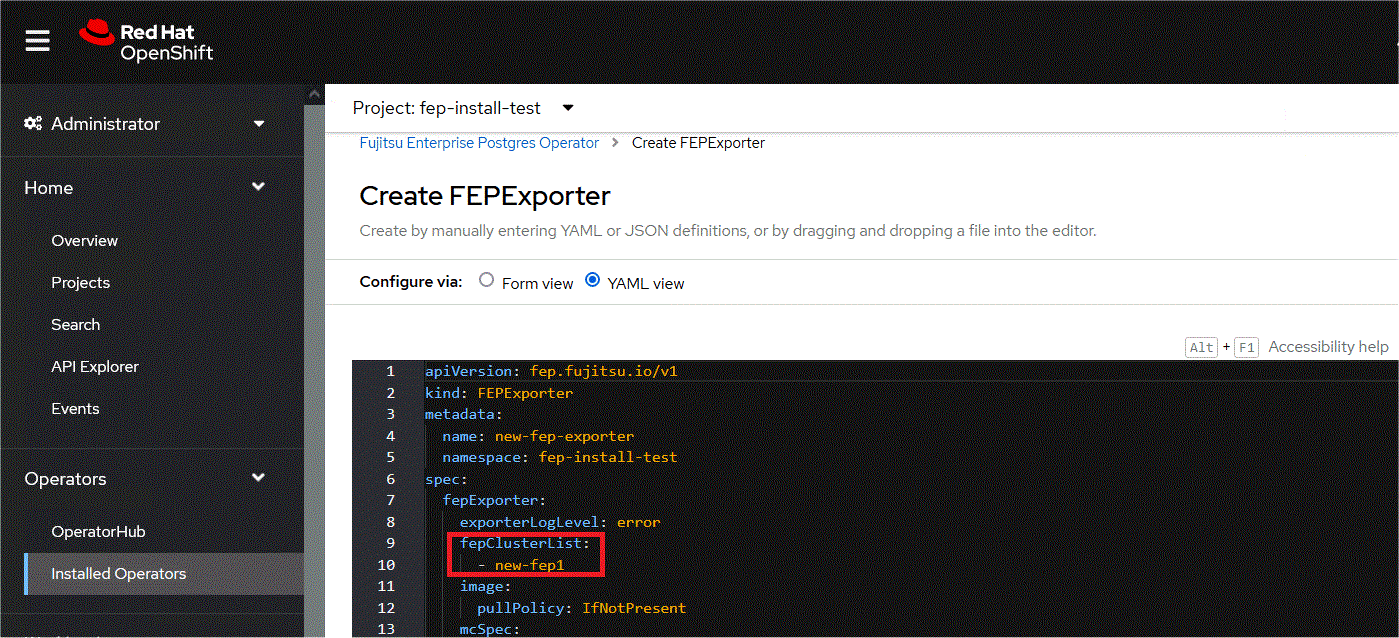
It will recreate FEPExporter pod with a new dataresource secret. It will list down all the database with statistics of specified FEPcluster in monitoring section.
If fepClusterList has more than one clusters listed, current exporter will collect metrics for all of those listed.
Multiple FEPExporters can be deployed within one namespace with their own cluster list to collect metrics from.

