


To deploy a FEPExporter, follow these steps.
"<x.y.z>" in the screen example indicates the version level of the operator.
Note
If you are deploying on a Kubernetes cluster, Refer to "Custom Resource Parameters" in the Reference to create and apply a yaml file.
In order to deploy FEPExporter managed by Operator, it is as easy as setting fep.monitoring.enable to true in FEPCluster CR at the time of deployment.
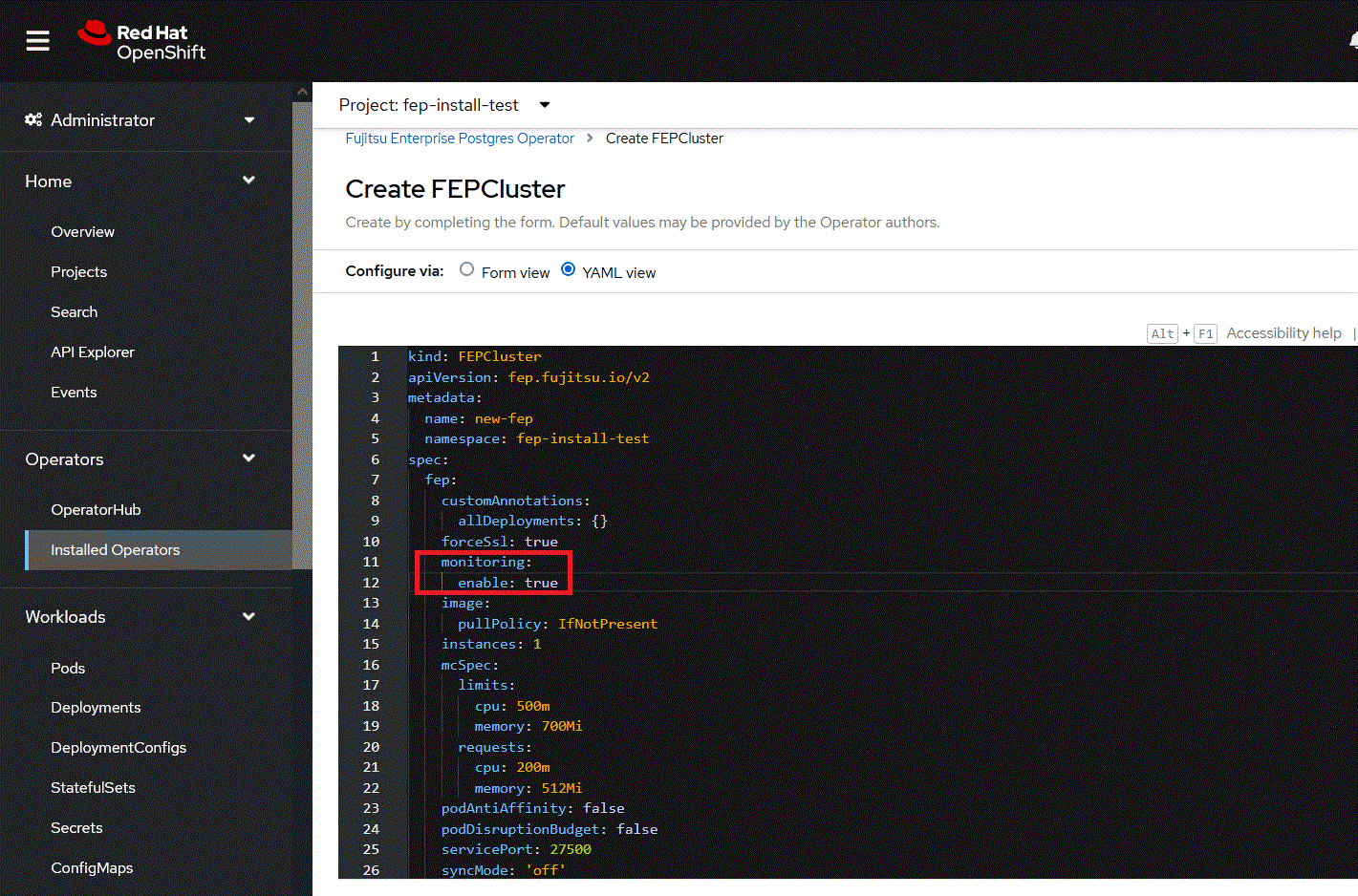
FEPExporter will be created automatically under the name <cluster-name>-fepexporter. And it will list show all the database with statistics of specified FEPcluster.
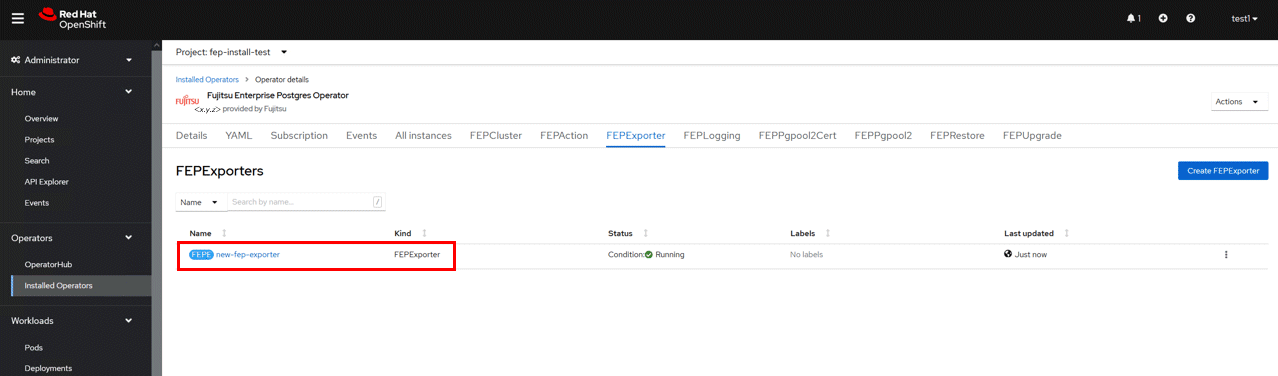
FEPExporter spawned by FEP Operator in aforementioned way will scrape metrics by default from the Master and standby instances and make it available to Prometheus.
User can configure MTLS to be used for HTTP endpoint used by Prometheus for metrics scraping as well as connection from FEP Exporter to database.
If pgMetricsUser, pgMetricsPassword and pgMetricsUserTls is defined in FEPcluster; FEPExporter will hence use these for securing connection to the postgres instances. In absence of these parameters, FEPExporter will use pgAdminUser (i.e. super user).
User can configure Prometheus.tls and FEPExporter.tls to ensure that metrics end point ( /metrics ) by FEPExporter is also used with MTLS ( Refer to "FEPExporter Custom Resource" in the Reference for details of fields)
User can also configure basic authentication by specifying a secret that contains username & password. (Refer to "FEPExporter Custom Resource" in the Reference for details of fields)
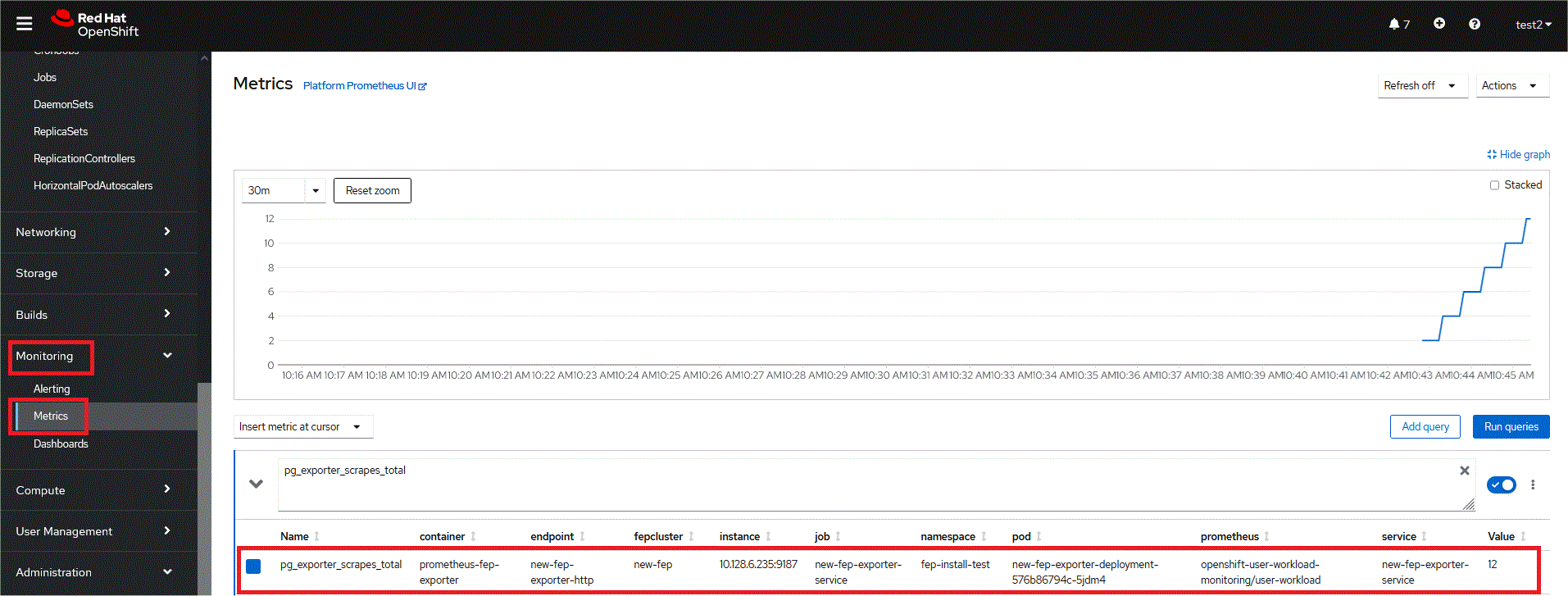
Now user can see scrape FEPExporter specific metrics on Openshift Platform in monitoring section area using PROMQL to specify a metrics of interest
Note
User can set fep.monitoring.enable to true or false on an already instantiated cluster as well to achieve desired results
pgMetricsUser can be defined later on a running FEPCluster with monitoring enabled and can force FEPExporter to use pgMetricsUser by mere restarting it ( refer restartRequired ). However, MTLS can not be configured in this case and user is expected to grant specific permission to pgMetricsUser for all the database objects which are expected to be use while scraping information.
For MTLS to be forced, ensure usePodName and pg_hba.conf is been set appropriately.
FEPExporter default metrics expects few following in postgresql.conf
pg_stats_statements library pre-loaded
track_activities and track_counts are turned on
Monitoring user needs permission on pg_stat_* views
FEPExporter pod specification related to CPU memory can be changed. After changing resources specification, set restartRequired flag to true. FEPexporter will be restarted with new specifications
FEP Monitoring is closely integrated with Prometheus available on platform. User should ensure that on openshift platform monitoring is enabled for user-defined projects ( Refer: https://docs.openshift.com/container-platform/4.11/monitoring/enabling-monitoring-for-user-defined-projects.html ). For platforms other than openshift, ensure Prometheus is installed before deployment of FEP operator

