


To deploy a FEPCluster in given namespace, follow these steps.
"<x.y.z>" in the screen example indicates the version level of the operator. Also, "<X>" indicates the product version of Fujitsu Enterprise Postgres.
Note
If you are deploying on a Kubernetes cluster, Refer to "Custom Resource Parameters" in the Reference to create and apply a yaml file.
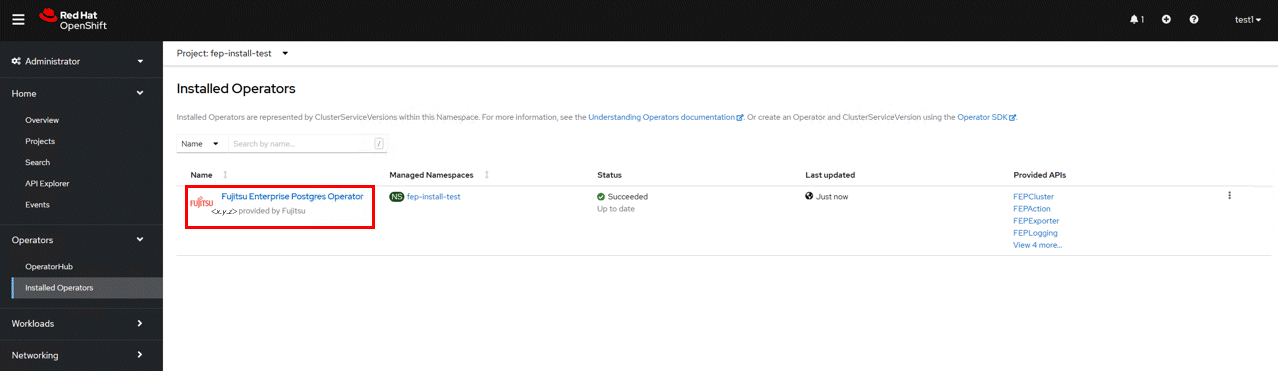
Under "Operators" menu item, click on "Installed Operators". You would see the installed FEP operator deployed in "Chapter 3 Operator Installation". Click on the name of operator.
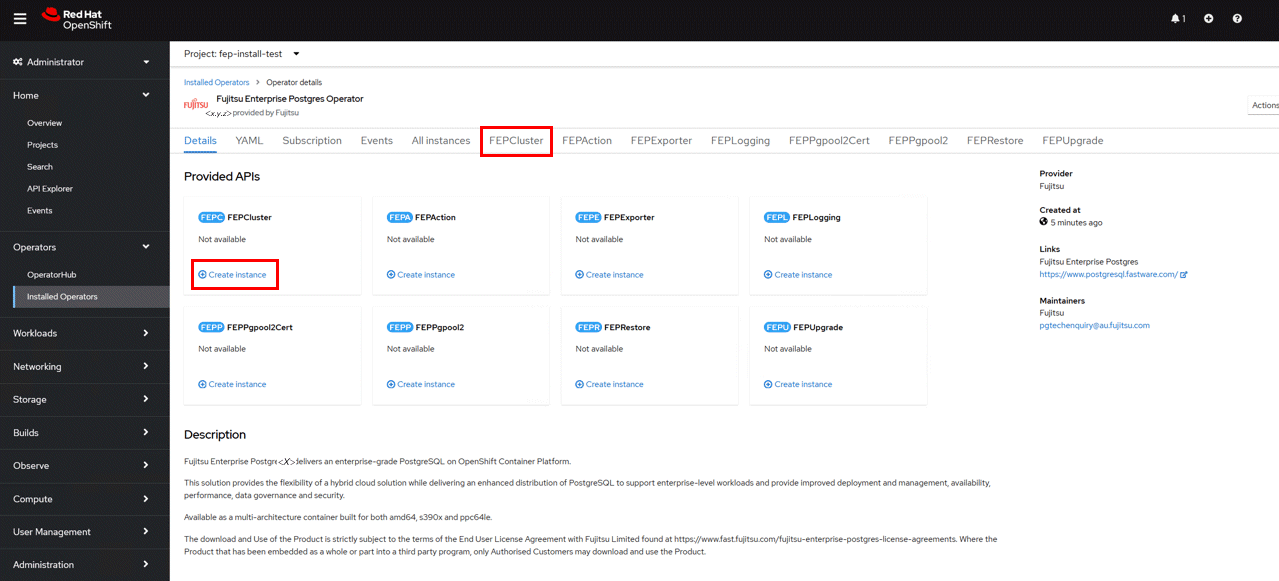
It will display a page with all CRs this operator supports. FEPCluster is the main CR and all others are child CR. We would create the main CR and all other CRs will be created automatically by Operator.
To create Cluster CR, either
(1) Click on "Create Instance" under FEPCluster.
OR
(2) Click on "FEPCluster" on top and then click on "Create FEPCluster" on the next page.
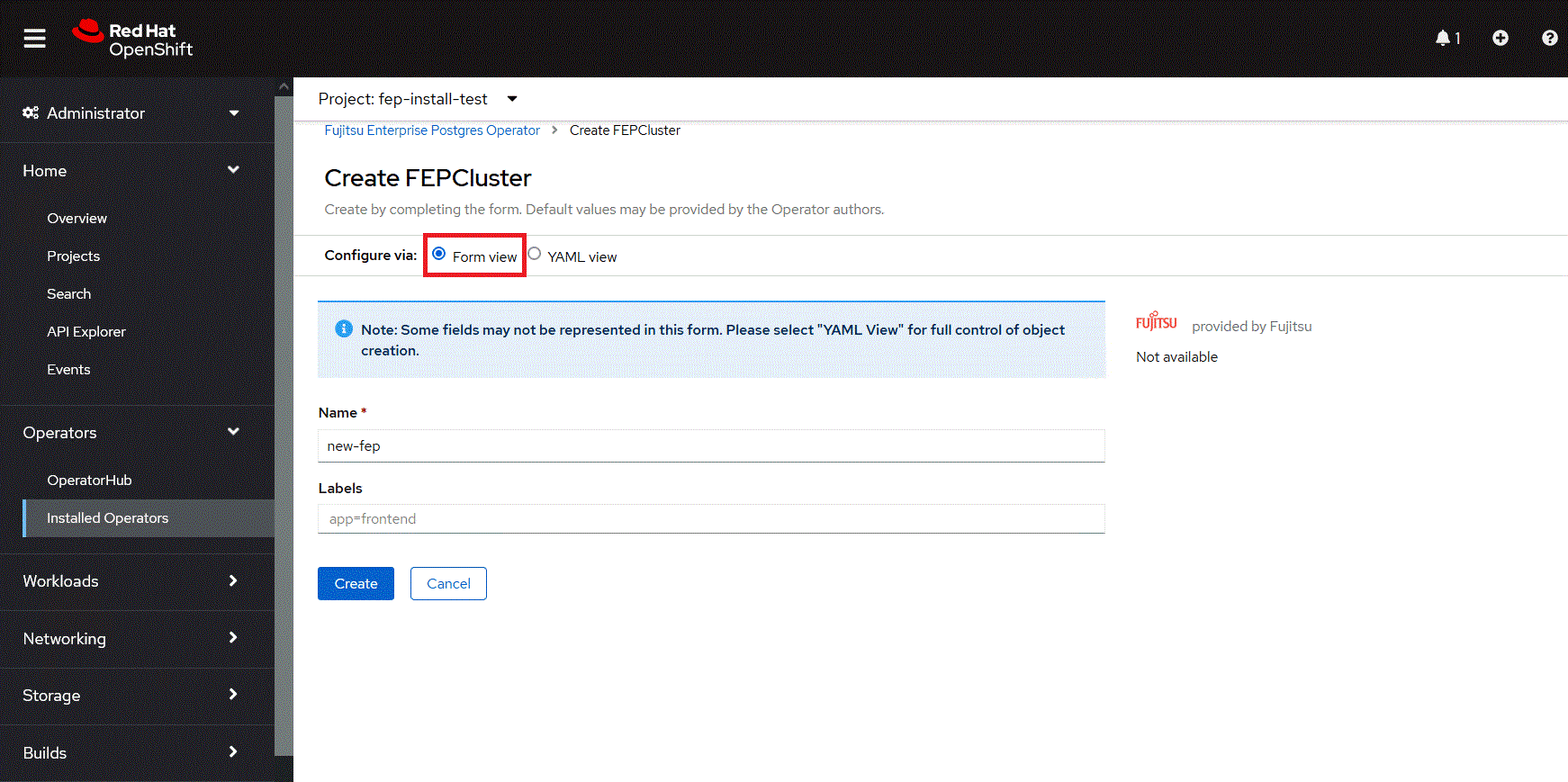
This will bring to "Create FEPCluster" page. Here you have two options to configure. The first one is Form View. At the moment, in Form View , one can change only the name of cluster being deployed. The default name is "new-fep".
This name must be unique within a namespace.
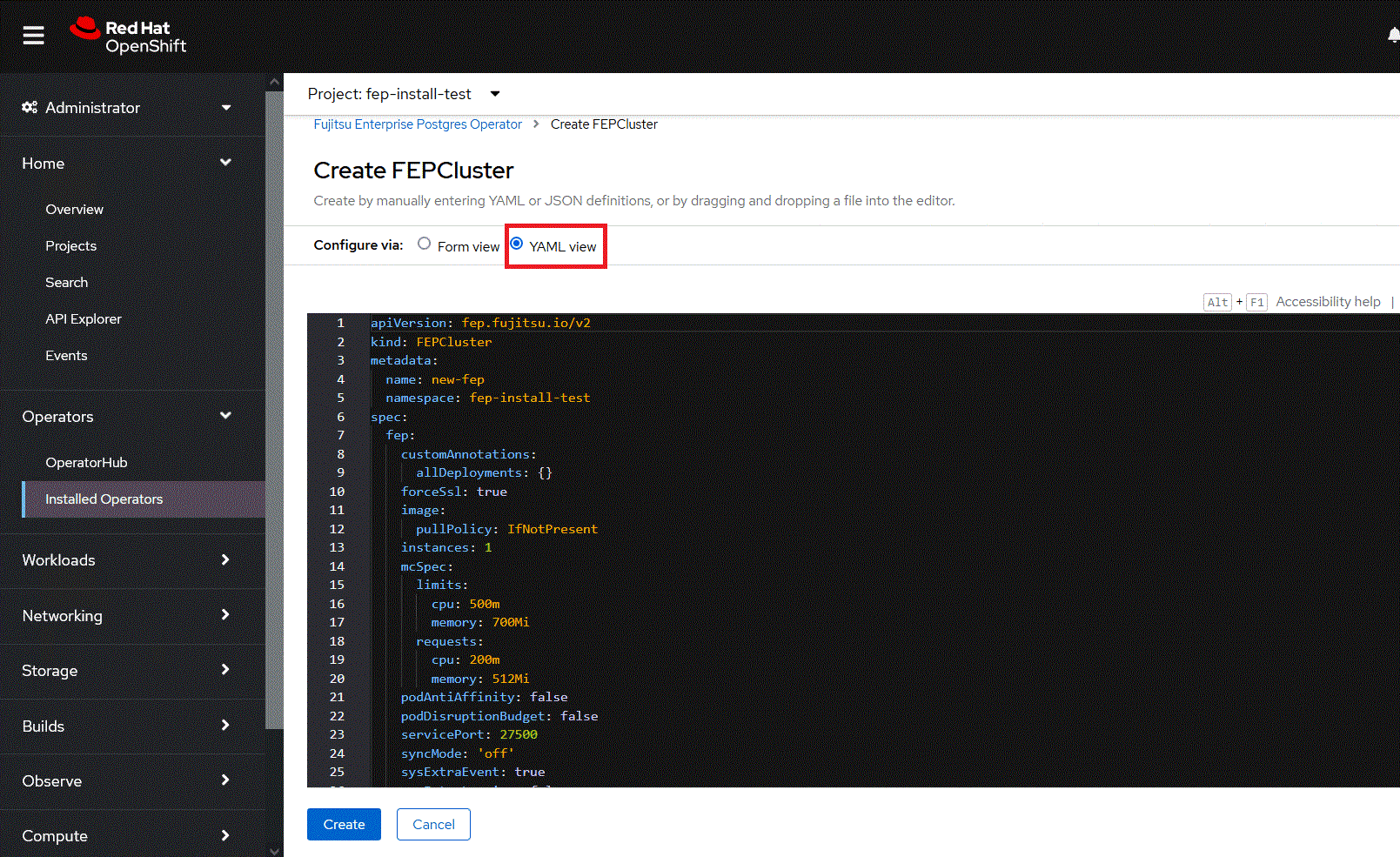
In YAML View, starting value of CR is visible and one can choose to modify parameters before creating CR. Refer to the Reference for details of parameters.
The FEPCluster custom resource allows you to define the container's CPU, Memory, disk size, etc.
You can define each resource size individually, or you can use the following parameters to define the allocations for each resource in bulk.
Parameter | Description |
spec.fep.databaseSize | Small, medium, and large define the following values for cpu/memory: |
spec.fepChildCrVal.storage.dataSize | Specifies the size of the data storage PV. |
We recommend that you use transparent data encryption to store your data.
Tablespace PVs are mounted in/database/tablespaces/tbspace1.
After building the database cluster, create tablespaces and tables as follows:
# Creating an Encrypted Tablespace
CREATE TABLESPACE secure_tablespace LOCATION '/database/tablespaces/tbspace1' WITH (tablespace_encryption_algorithm ='AES256');

# Create Table in Encrypted Tablespace
CREATE TABLE secure_table (id int, pref text, city text, data text) TABLESPACE secure_tablespace;
Operator provides features such as backup, audit logging, and monitoring.
These features can be enabled with the following parameters:
Parameter | Description |
|---|---|
spec.fep.monitoring.enable | When true, monitoring feature is enabled. |
spec.fep.pgAuditLog.enable | When true, audit log collection is enabled. |
spec.fepChildCrVal.backup.type | local enables backup. |
spec.fepChildCrVal.autoscale.scaleout.policy | cpu_utilization enables the ability to autoscale out replicas when CPU utilization exceeds a threshold. |
When "Create" is clicked on either of the two pages above, the operator creates FEPCluster CR, and there after one by one FEPBackup, FEPConfig, FEPVolume, FEPUser, and FEPCert child CRs are created automatically.
The starting values for child CRs are taken from the "fepChildCrVal" section of the FEPCluster CR YAML file. Modifying value in FEPCluster "fepChildCrVal" section. Operator reflects changes from FEPCluster parent CR to respective child CRs. Only allowable changes are reflected in child CRs. Child CRs are marked internal objects and hence will not be visible on the OCP console. However, you can check child CRs using command-line tools.
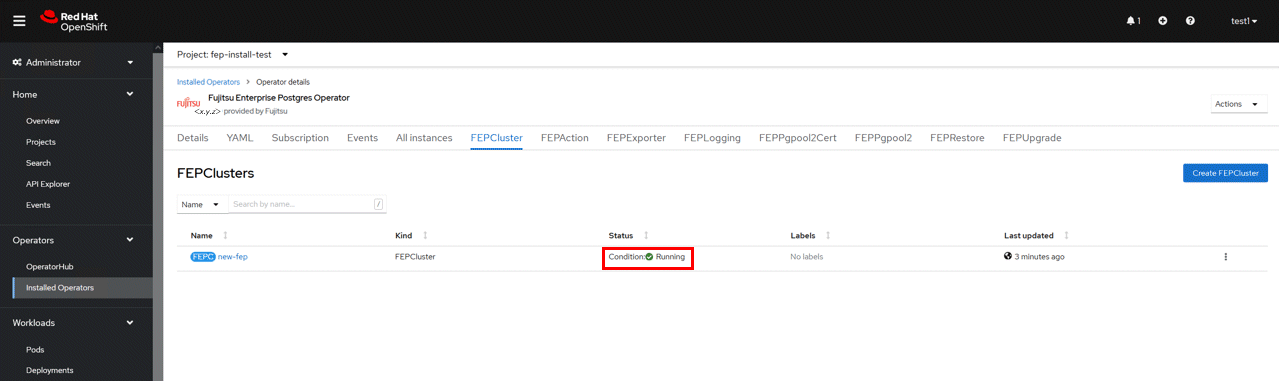
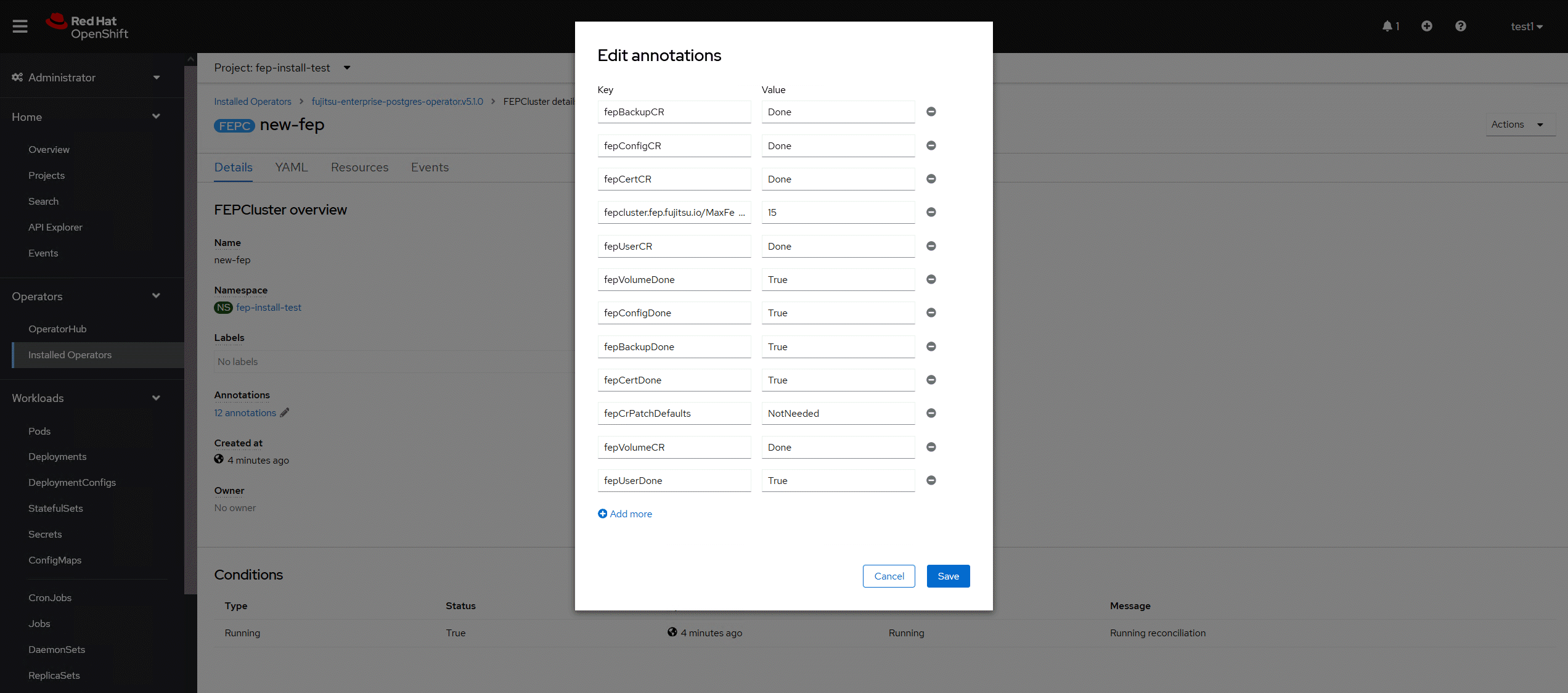
In FEPCluster CR, annotations are added to indicate that child CRs are created successfully and has initialised properly. It may take some time to complete.
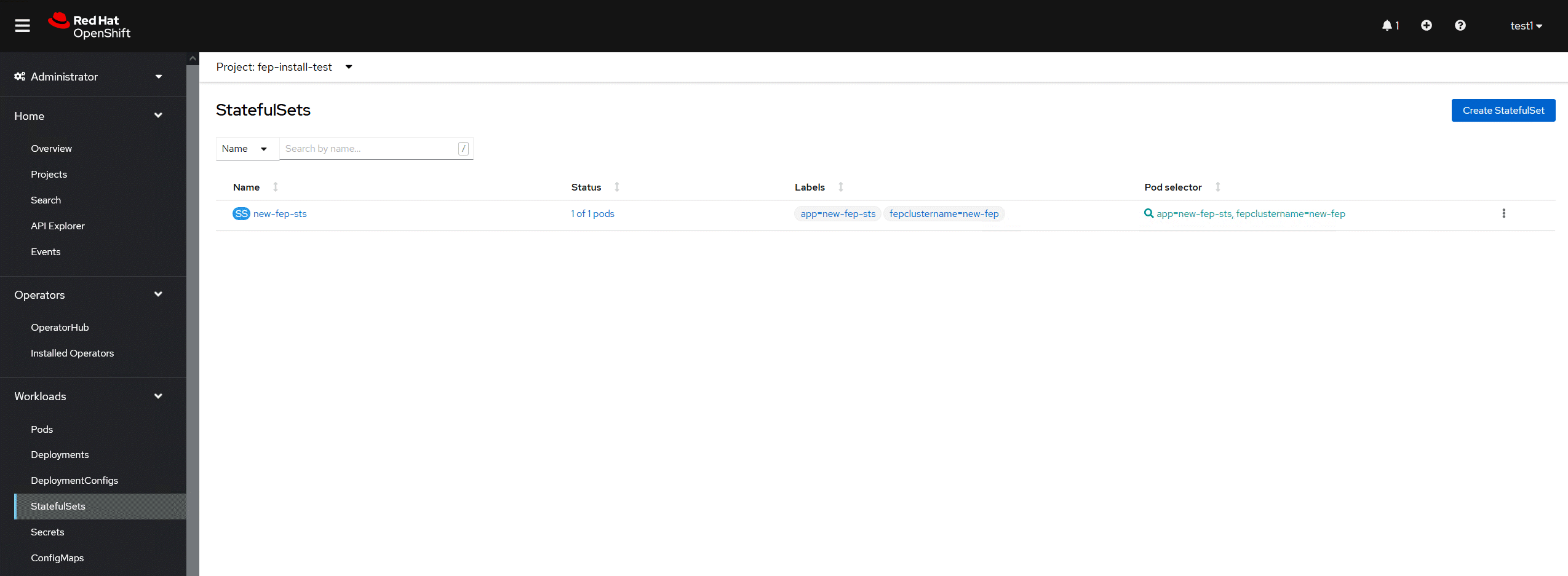
Once child CRs are marked done in annotations, operator creates StatefulSet for the cluster.
StatefulSet will start one FEP instance at one time and will wait it to be ready before starting next one.
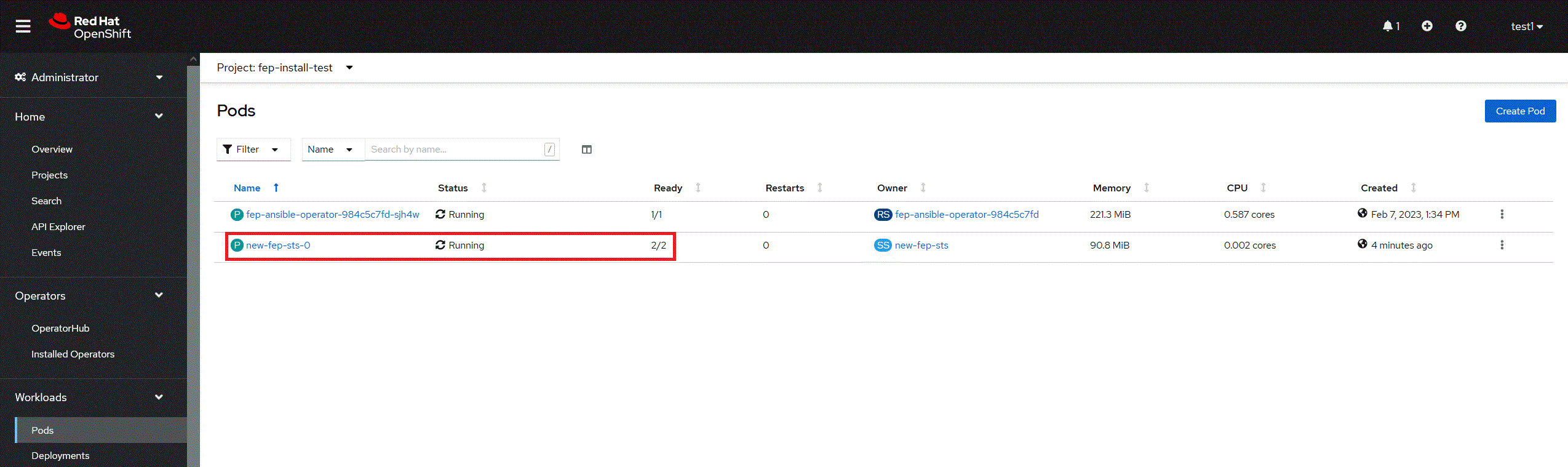
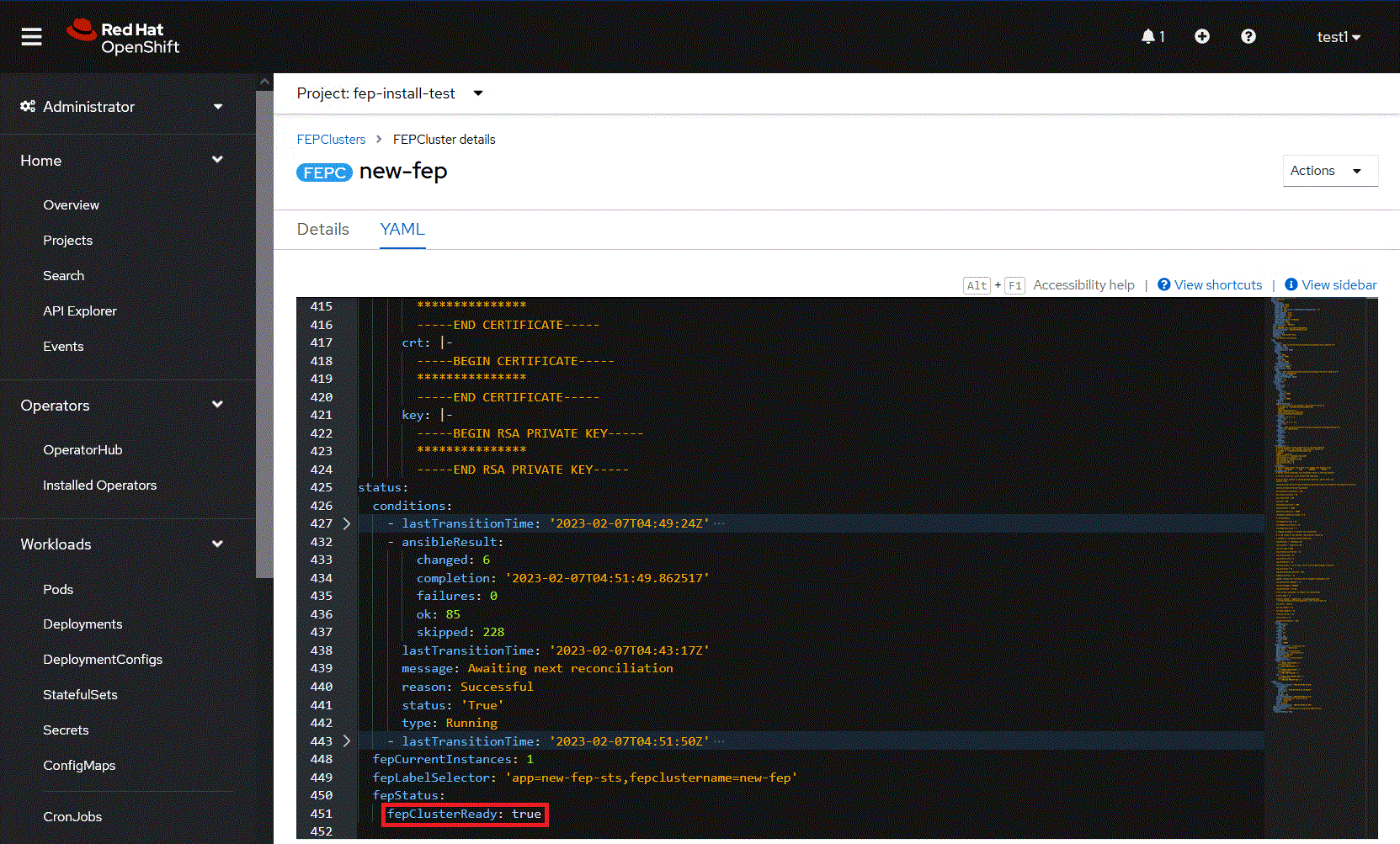
Once all instances of FEP servers are started, the operator marks a flag "fepClusterReady" under "status.fepStatus" section of CR to be true, indicating that FEPCluster is ready for use. Looking at YAML of FEPCluster CR, it would look like as below:
Operator also masks the sensitive fields like passwords, passphrase, certificates and keys in FEPCluster fepChildCrVal and also in respective child CRs.

